SOLODock Adapt

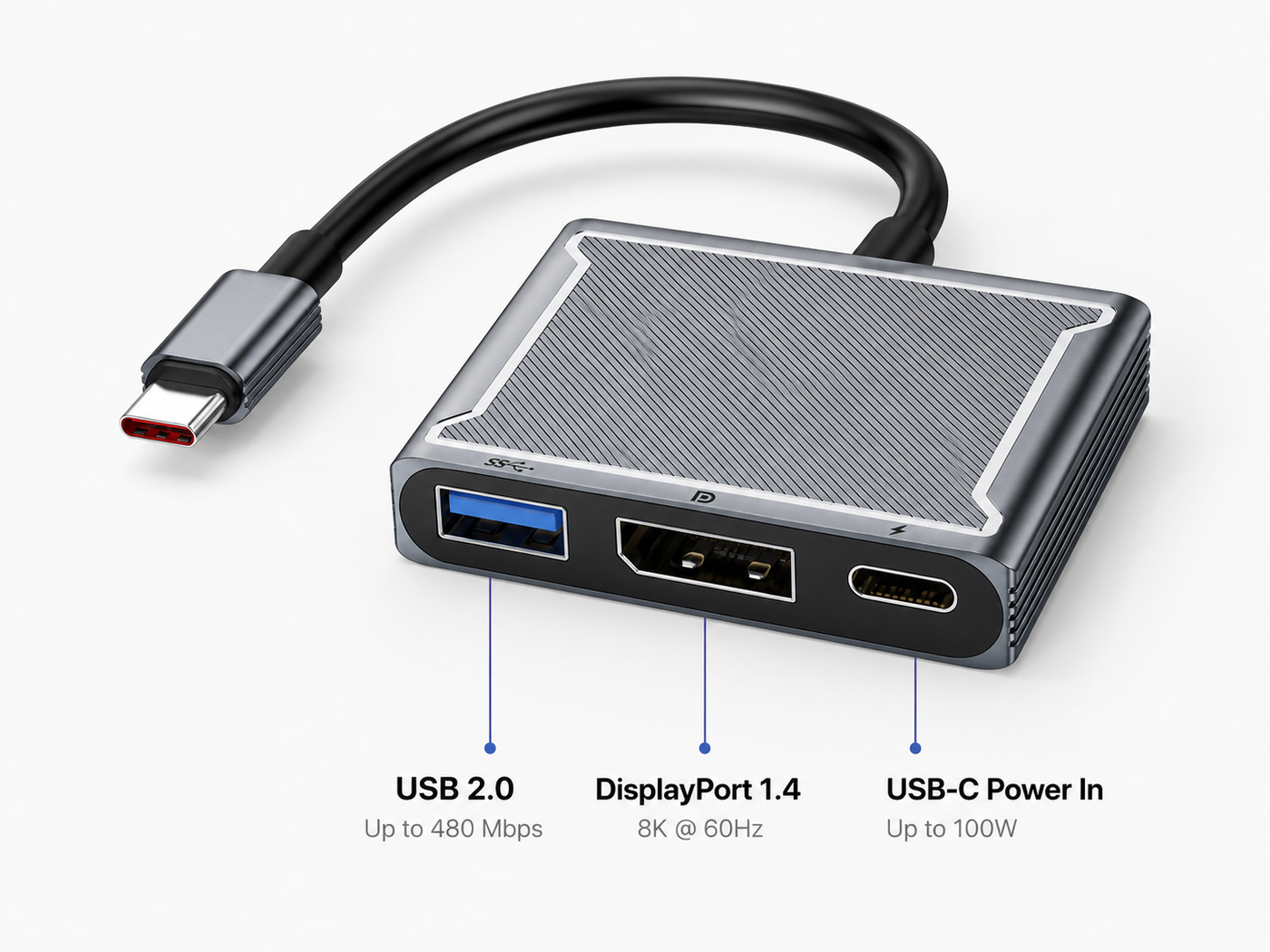
Optional USB-C display adapter designed for monitors without USB-C connectivity, enabling display output while providing the required USB-C power for proper MacBook clamshell mode operation. Includes a custom 3D printed under-desk mounting holder for cleaner cable management and a more seamless workspace setup.


Please note: a USB-C power cable and power adapter are required for charging and clamshell mode functionality and are not included. Without external power connected, display output may not function correctly.

Regular price £29.00 GBP
10 in stock
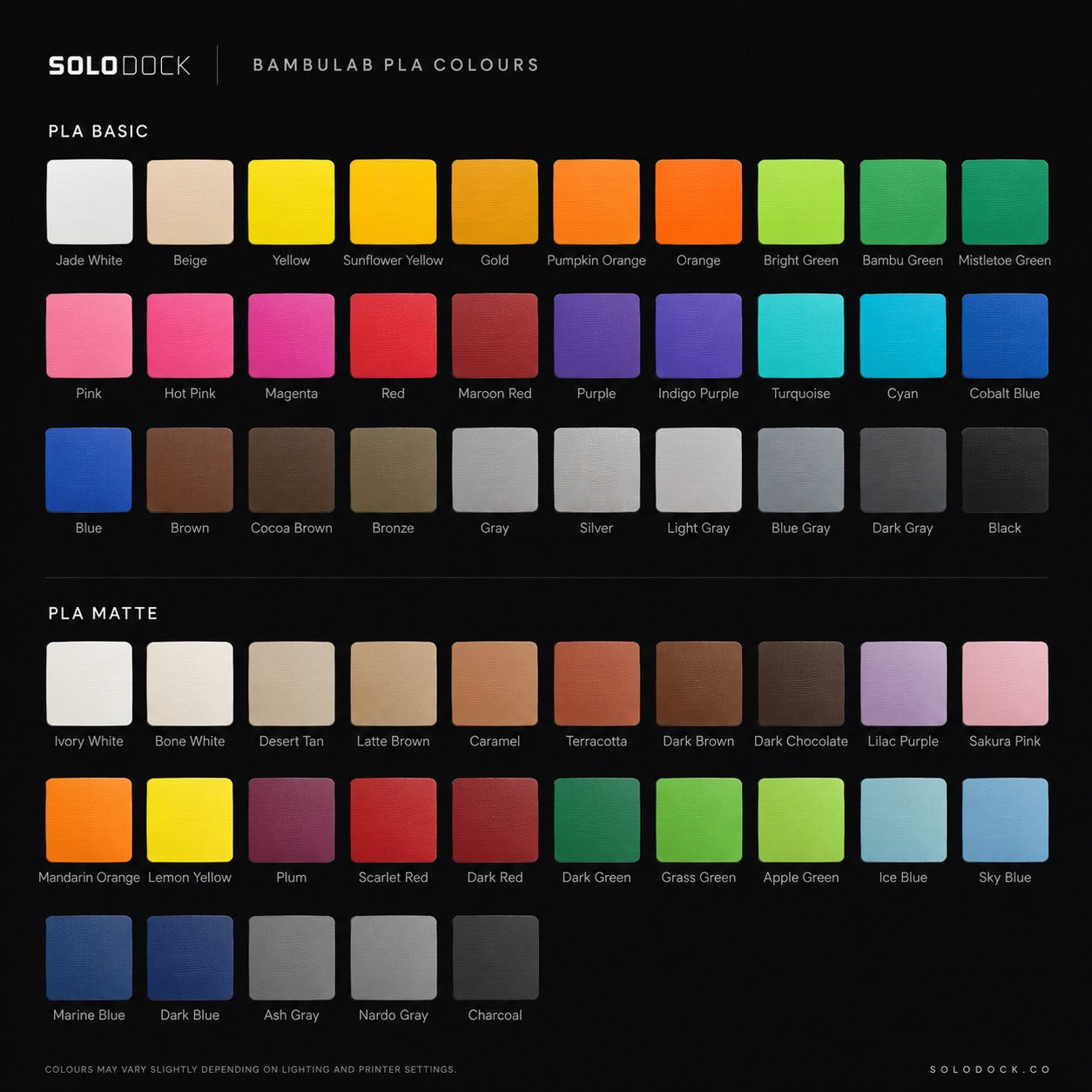
Color : Grey - Standard PLA Material
  • Grey - Standard PLA Material
  • Black - Standard PLA Material
  • Translucent Retro - Standard PLA Material
  • White - Standard PLA Material
  • Custom - Standard PLA Material
  • Custom - Upgraded PETG Material
Quantity :

How It Works
How It Works

SOLODock Adapt allows compatible MacBooks to connect to DisplayPort monitors while remaining docked beneath your desk.

  1. Connect SOLODock’s USB-C cable into SOLODock Adapt
  2. Connect DisplayPort from the adapter to your monitor
  3. Connect USB-C power into the adapter
  4. Dock your MacBook and use your setup normally

USB-C power must be connected into the adapter for charging and reliable clamshell operation.

Without external power connected, your MacBook may not charge or function correctly in clamshell mode.

Specifications
Specifications & Compatibility
  • USB-C to DisplayPort adapter system
  • Includes matching 3D printed mounting enclosure
  • Under-desk screw mounting design
  • Designed for SOLODock Connect and Pro
  • Supports compatible DisplayPort monitor setups
  • USB-C power pass-through required
  • Supports MacBook clamshell setups where compatible
  • Hidden under-desk installation
  • Compatible with supported Apple MacBook models
  • Monitor compatibility depends on display, cable and MacBook support
  • Not required for monitors with direct USB-C display input

If you are unsure whether your monitor requires SOLODock Adapt, contact us before ordering.

SOLODock Adapt is intended for monitors that do not support direct USB-C display input.

Some monitors only support DisplayPort or HDMI connections and require an adapter solution for proper video output.

For charging and reliable clamshell operation:

  • USB-C power must be connected into SOLODock Adapt
  • Compatible power adapters and cables are required
  • Monitor compatibility varies depending on hardware support
What's In The Box?
  • SOLODock Adapt adapter
  • Matching under-desk mounting enclosure
  • Mounting screws
  • Quick setup guide

Power adapters, USB-C charging cables and DisplayPort cables may be sold separately unless otherwise stated.

Installation & Care
  1. Mount the included enclosure beneath your desk
  2. Secure SOLODock Adapt into the enclosure
  3. Connect SOLODock USB-C cable into the adapter
  4. Connect DisplayPort to your monitor
  5. Connect USB-C power into the adapter
  6. Dock your MacBook and confirm charging and display output

Before installation:

  • Ensure all surfaces are clean and dust free
  • Route cables carefully to avoid strain or damage
  • Confirm monitor compatibility before use

SOLODock Adapt

Regular price £29.00 GBP