SOLODock Connect

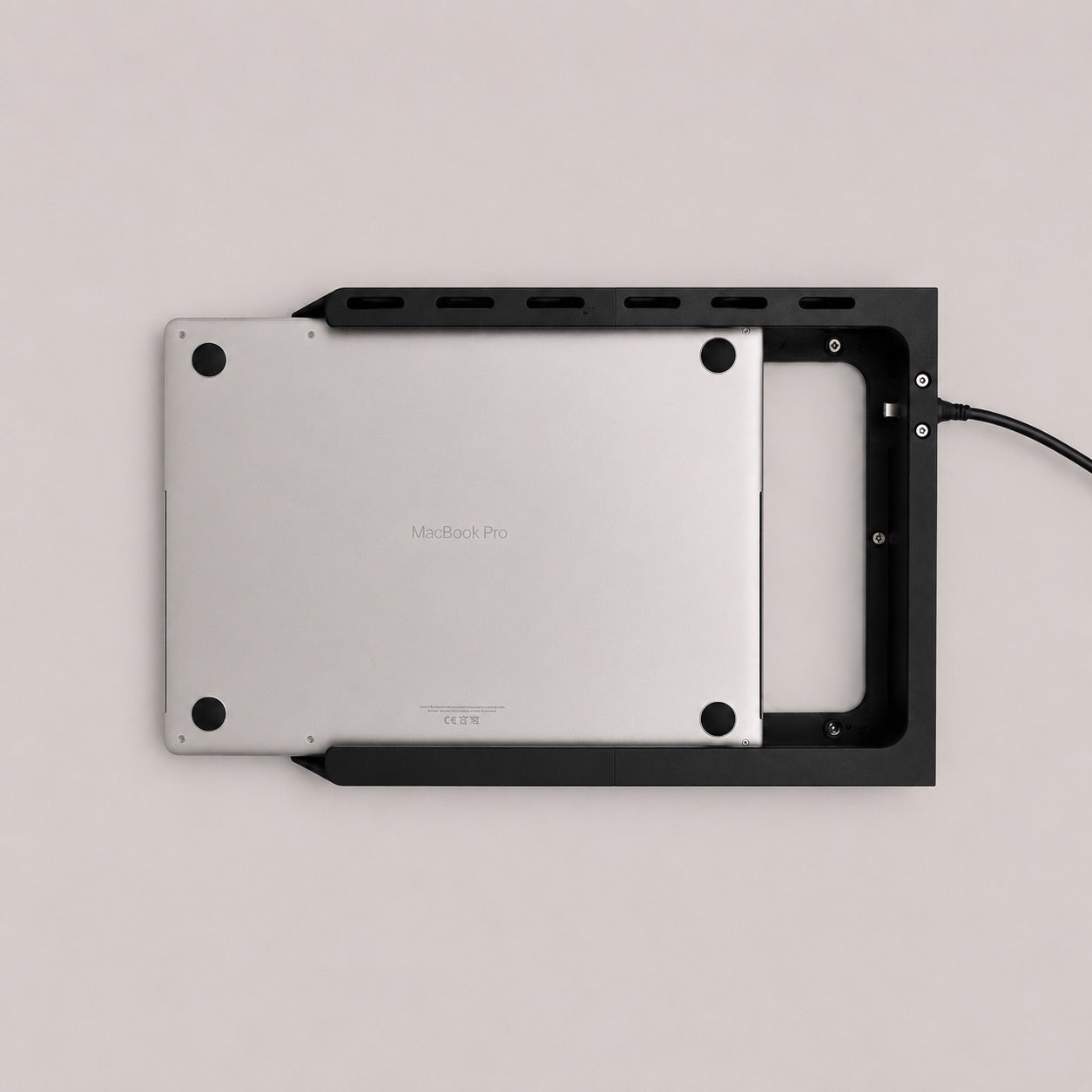
Precision 3D printed under-desk MacBook dock featuring integrated single-cable connectivity for power, display and accessories, designed to simplify your setup and reduce visible desk clutter.

Regular price £89.00 GBP
10 in stock
Color : Grey - Standard PLA Material
  • Grey - Standard PLA Material
  • Black - Standard PLA Material
  • Translucent Retro - Standard PLA Material
  • White - Standard PLA Material
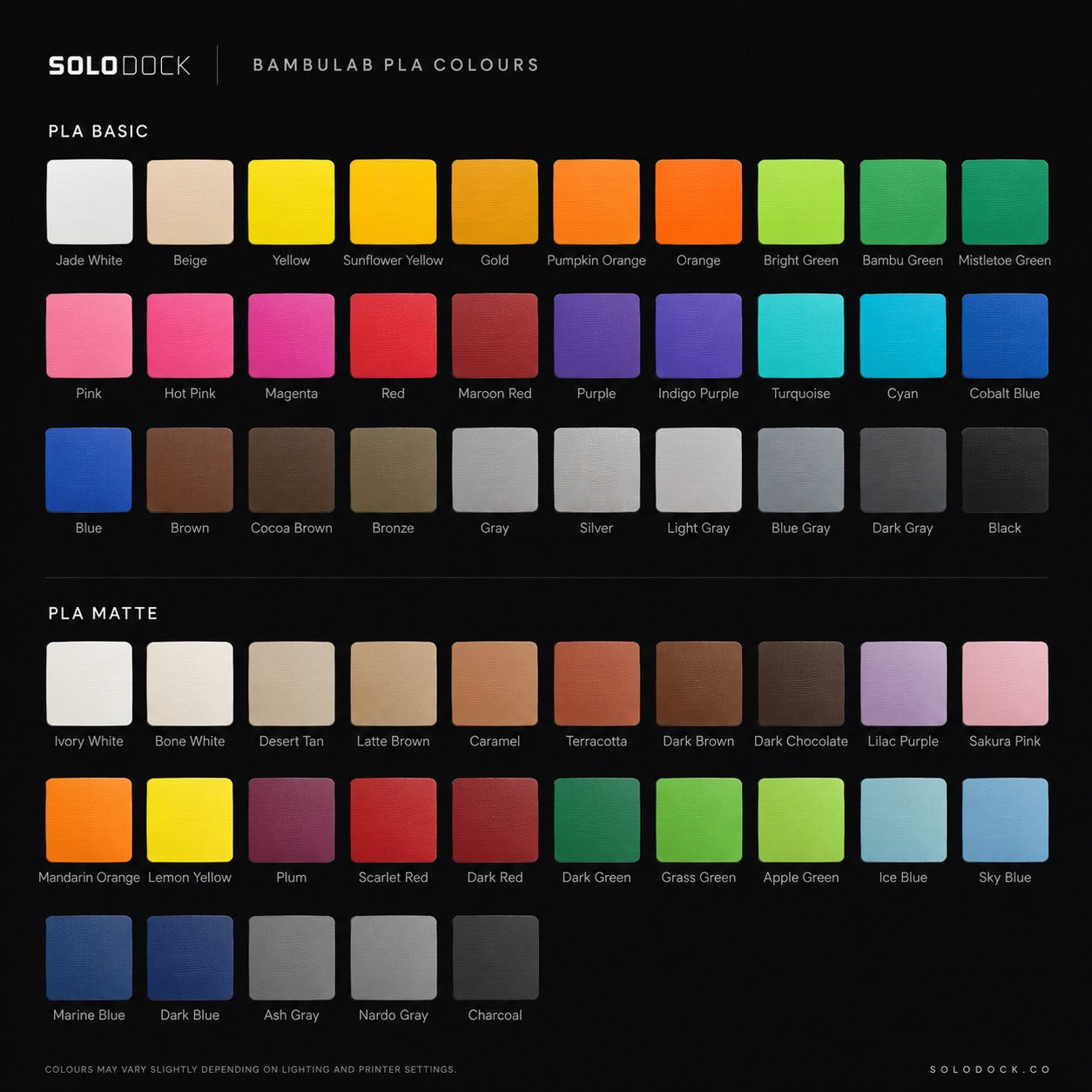
  • Custom - Standard PLA Material
  • Custom - Upgraded PETG Material
Device
Connection
Quantity :

How It Works

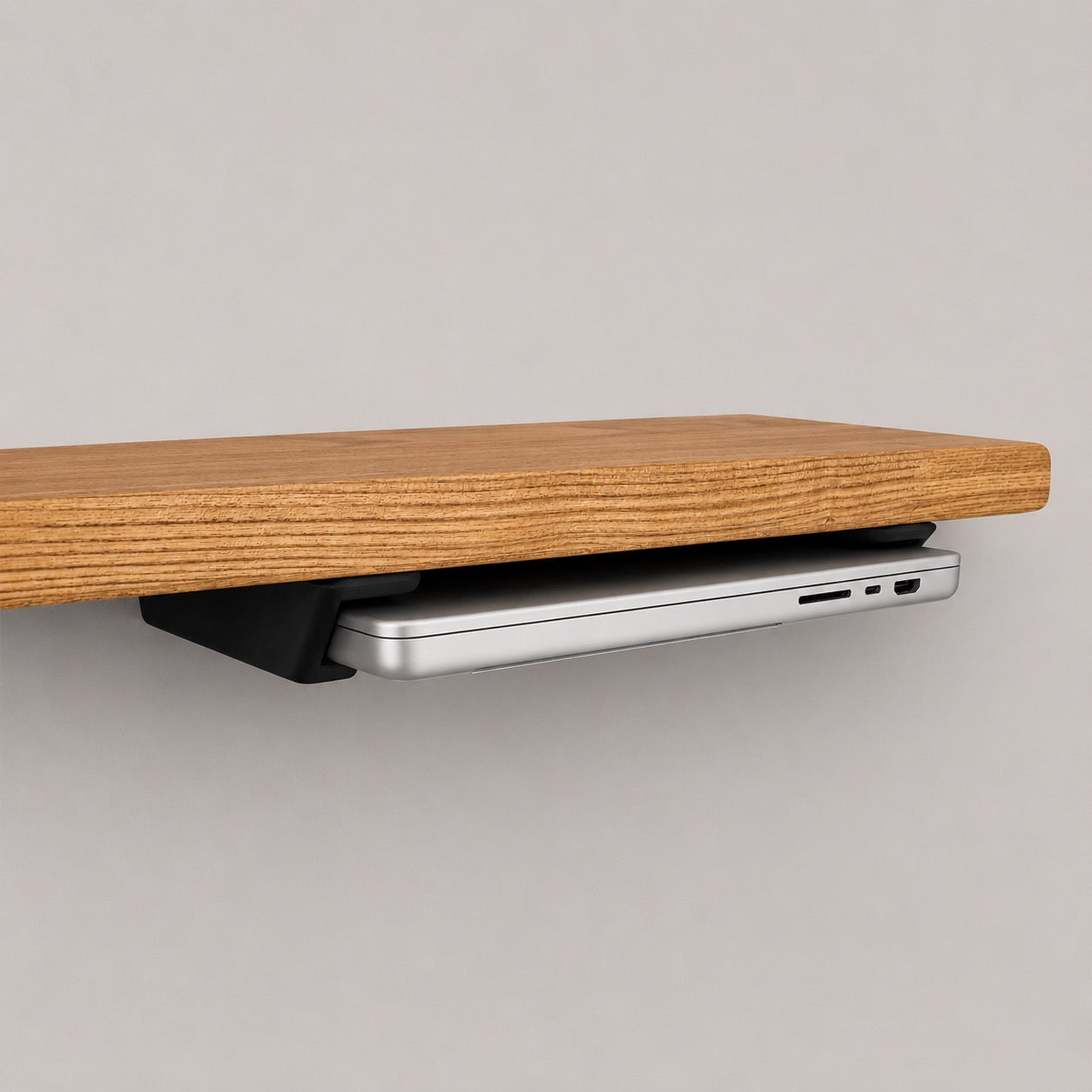
SOLODock Connect mounts beneath your desk, allowing your MacBook to dock cleanly out of sight while remaining permanently connected through USB4.

  • Install beneath your desk using the supplied mounting hardware
  • Slide your MacBook into the guided rail system
  • Instantly connect charging, displays and accessories
  • Remove your MacBook in seconds without disconnecting cables
Specifications
Specifications
  • Designed for supported Apple MacBook models
  • Integrated USB4 connectivity
  • Included 40Gbps USB4 cable (2m)
  • Optional 80Gbps USB4 upgrade (1.5m recommended optimal length)
  • 40Gbps supports setups up to 8K 60Hz where compatible
  • 80Gbps supports advanced setups up to 8K 120Hz or dual displays where compatible
  • SOLODock Gen-2 rail system
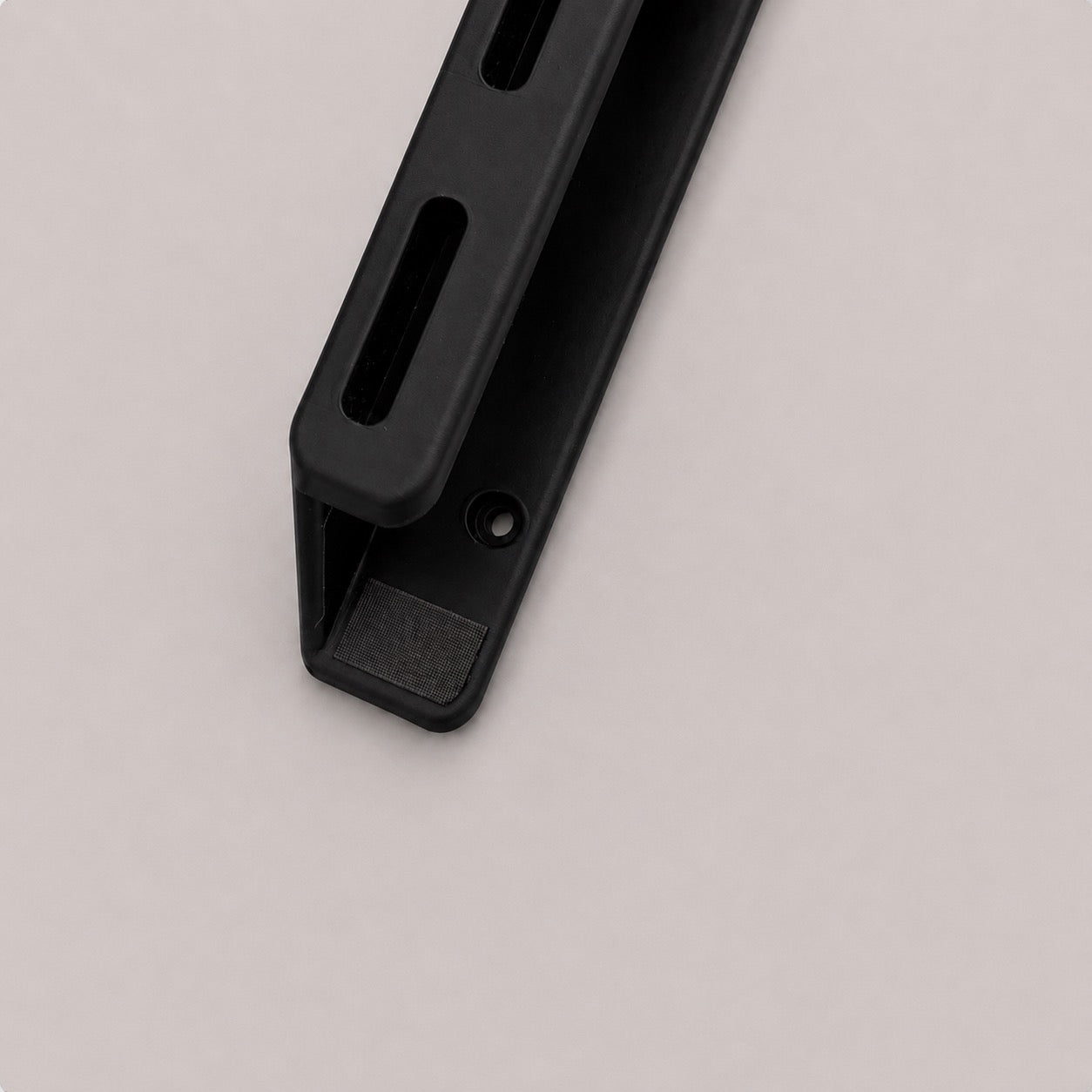
  • Low-friction liner tape for smooth docking
  • Full-body front-to-back sloped entry design for easy alignment without reaching beneath the desk
  • Open airflow cooling design
  • Multi-point mounting system
  • Matte or normal texture finish options
  • Multiple colour options available
  • Material: Premium PLA
Compatibility

Designed specifically for supported Apple MacBook models.

Cases, skins or third-party accessories may affect fitment and alignment.

Display support depends on your MacBook, monitor and USB-C/USB4 compatibility. Not all monitors support direct USB-C display input.

If you’re unsure, contact us before ordering.

For DisplayPort and standard monitor connections, SOLODock Adapt adapters are available separately.

What's In The Box?
  • SOLODock Connect
  • Mounting screws
  • Alignment spacer
  • Adhesive positioning pads
  • Hex key
  • Quick start guide
Installation & Care
Install
  1. Position the dock using the included alignment spacer
  2. Secure beneath the desk using the supplied screws
  3. Route and connect the integrated USB4 cable to your setup.
  4. Clean all dust and debris before first use

Please slide your MacBook into the dock with the side featuring the MagSafe port, the Apple logo facing upwards and the feet facing downwards.  Any other orientation could damage your MacBook or the dock.

Care & Usage

Keep the dock and MacBook clean and free from dust or debris during use.

SOLODock is designed and tested for supported MacBook models, however improper installation, misuse, debris or unsupported configurations may result in cosmetic wear or damage.

Use at your own discretion, we accept no liability for use of these products.

Full installation guide available at solodock.co.uk

SOLODock Connect

Regular price £89.00 GBP

MATERIAL GUIDE

What material works best for me?

Every SOLODock is 3D printed to order. PLA is the default and what most people should pick — PETG is there if you want a little extra toughness or heat tolerance.

PETG

Extra tough, extra heat.

Upgrade

PETG material close-up

SLIGHTLY MORE VISIBLE, STILL NEAT LAYER LINES

More impact resistant and heat tolerant. Pick this if your space gets hot, or you just want a little more headroom.

  • Higher impact resistance
  • Handles warmer rooms (~75°C)
  • Slight gloss, more moisture-tolerant
  • Slightly softer edges — layer lines more visible
  • Marginally heavier than PLA

HEAT LIMIT

~75°C

TOUGHNESS

High

FINISH

Semi-gloss

BEST FOR

Hot rooms / travel

Disclaimer: These photos are close-ups for demonstration purposes. Finished SOLODock parts are more uniform and product-like than what these macro shots suggest.

Not sure which to pick? PLA is the safe answer — go PETG only if your desk sits in direct sunlight or a hot room.

CABLE COMPANIONS

What cable do I need?

Choose your USB4 cable. Two speed options. One seamless SOLODock setup.

USB4 · 80Gbps

Studio-grade headroom.

Upgrade
THROUGHPUT MAXIMUM BANDWIDTH
DATA 80 Gbps
DISPLAY Single 8K @ 120Hz or Dual 4k
POWER 240W PD ready
LENGTH 1.5 m
Best for: MacBook Pro · dual displays · video, audio & dev work.

QUICK FAQ

Answers for SOLODock Connect.

The most common questions for this model. For everything else, see the full FAQ .

Why choose SOLODock Connect over Core?

Connect includes a high-speed integrated USB-C connection, so there is no loose cable to find and plug in each time. Simply slide your MacBook into the dock for a faster, cleaner and more convenient setup.

How does SOLODock Connect work with my setup?

Connect links your MacBook to your setup through its integrated high-speed USB-C cable. For a direct connection, your monitor or dock must support video over USB-C; otherwise, the optional adapter allows connection through DisplayPort.

Can Connect charge my MacBook as well as output video?

Yes, provided your connected monitor or USB-C hub supports Power Delivery. The amount of charging power available depends on the monitor, hub or power source being used.

Can I connect my keyboard, mouse and other accessories through it?

Yes. When Connect is linked to a compatible USB-C monitor, hub or docking station, connected accessories can work through the same single USB-C connection.

Can the integrated USB-C cable be replaced?

The cable is built into the Connect system to keep it securely positioned and aligned with your MacBook. If it becomes damaged or develops a fault, contact SOLODock support for replacement and repair options.

COMPARE THE LINE-UP

All three SOLODock models. Side by side.

Visual breakdown of every model — and how they stack up against generic stands.

Core Connect THIS MODEL Pro Others
Under-desk mounting
Built in high speed USB-C cable
Protective design
Tailored to each MacBook model.
Open airflow design
1 year warranty
Built in quick release mechanism
Multiple material finishes
Replacement parts user friendly
Premium 3d printed finish

REVIEWS

What owners say about the Connect.

4.9 average · verified buyers
5 out of 5 stars

“Brilliant customer service”

I didn’t clean away all the wood dust after installing it, which ended up marking both the liner and my MacBook. It was completely my fault, but support still offered to replace the dock free of charge or send me fresh liner tape to fit myself.

— Ryan C.

4 out of 5 stars

“Better than expected for the price”

You can tell it’s 3D printed, so there are some visible lines and slight variations in the finish rather than perfectly smooth, amazon-sold one. That said, it feels strong, fits well and is very good value for the price, happy to support a small brand like this.

— Jamie M.

5 out of 5 stars

“Exactly the upgrade I needed”

I nearly chose the Core, but I’m glad I went for Connect. Having the cable held in the right place makes using the MacBook every day much quicker.

— Lucy P.

5 out of 5 stars

“Best £79 I've spent.”

Looks invisible, feels premium, works flawlessly daily.

— Mark.

30-day

money-back guarantee

Free worldwide

shipping

Secure

checkout

Ready for a cleaner desk?

Get the SOLODock Connect shipped free worldwide, with a 30-day money-back guarantee.